Alerts that reach you, wherever you are
The best monitoring is useless if the alert lands where nobody looks. Send Site Patrol's alerts to your phone, your computer, your inbox and your team's chat.
Set up in under a minute
Turn on alerts
On the Alerts page, tap Turn on alerts on this device. Do it on your phone and your computer.
Add your team
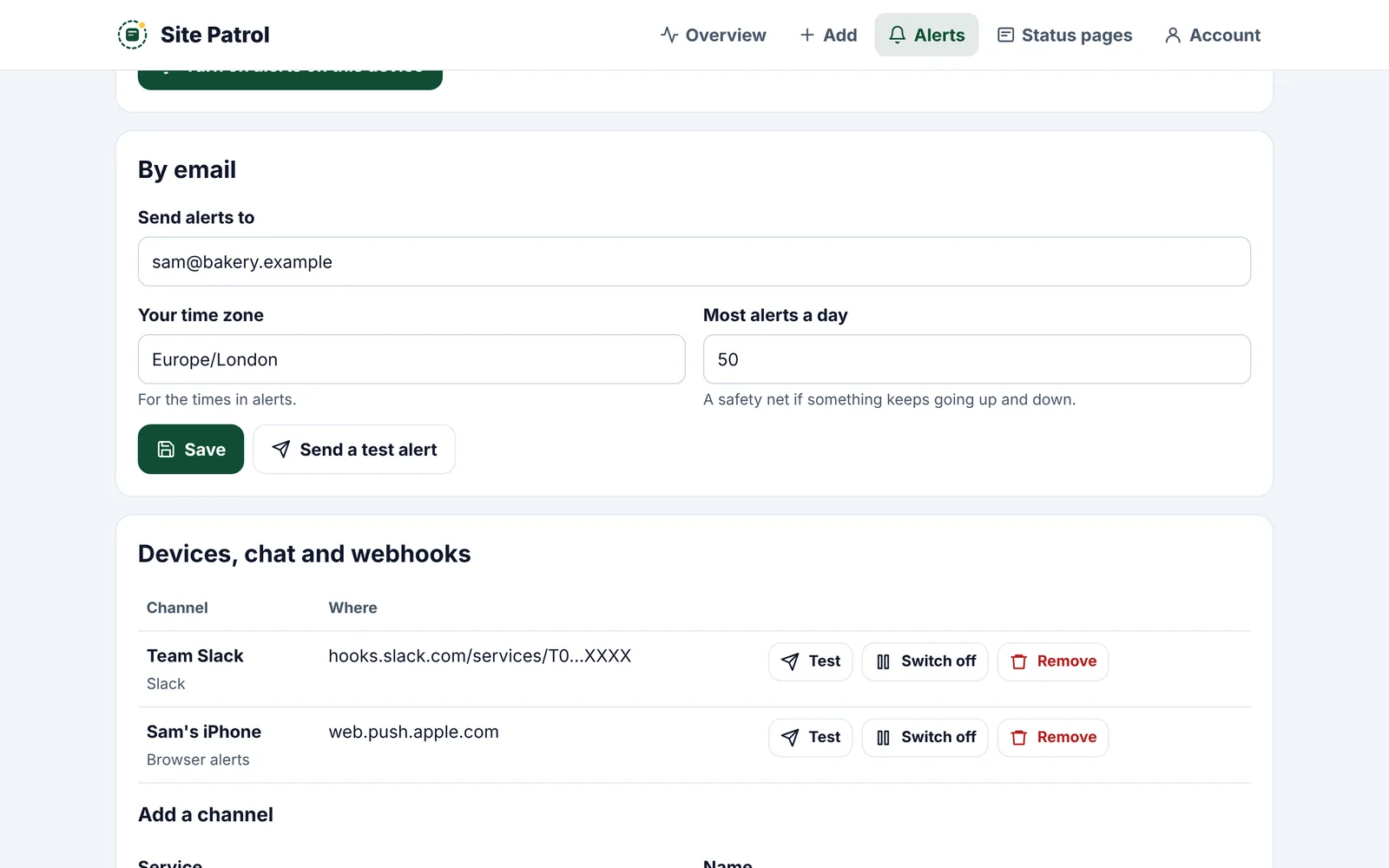
Paste a Slack, Teams, Google Chat or Discord address, or your own webhook. Send a test to each.
Stay calm
One alert when something goes down, one when it's back. If a site keeps going up and down, one alert says so, then it goes quiet.
Where alerts can go
- Phone and computer alerts, even with Site Patrol closed
- Email, branded and easy to read on a phone
- Slack, Microsoft Teams, Google Chat and Discord
- Your own webhook, signed so you know it's us
- Text message and WhatsApp Coming soon
Good to know
Do I need an app for phone alerts?
No. On Android, alerts come straight to your browser. On iPhone and iPad, add Site Patrol to your Home Screen first, then turn alerts on. Our iPhone and Mac apps are coming soon.
Can I stop alerts flooding in?
Yes. Choose the most alerts you want in a day, and when something keeps going up and down we send one alert about it instead of dozens.
Which alerts are on the free plan?
Email, up to 3 a day. Pro adds phone and computer alerts, team chat and webhooks.
Will text message and WhatsApp alerts cost extra?
They may, because each message has a cost to send. We'll explain the price before they launch.
Works well with
Put Site Patrol on watch
Free for one website, live in under 60 seconds. We start watching the moment you add your URL.
Start free