Know when a backup quietly stops running
Backups and scheduled jobs fail silently. You find out weeks later, when you need them. A heartbeat turns that silence into an alert.
Set up in under a minute
Add a heartbeat
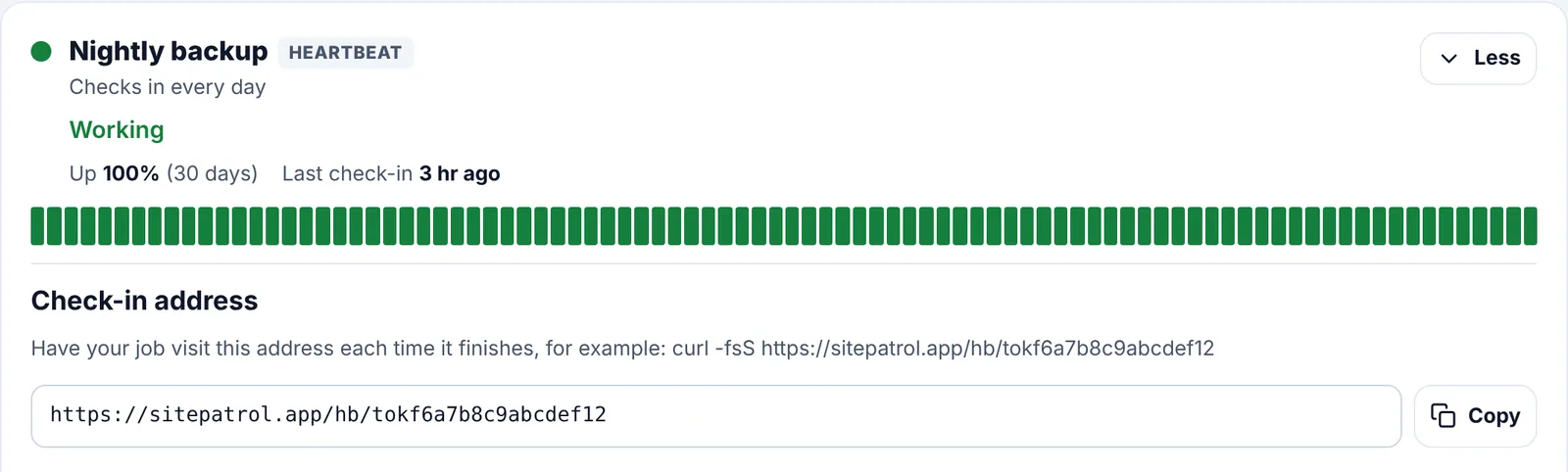
Give it a name, such as Nightly backup, and say how often it runs: from every 5 minutes to once a week.
Copy your check-in address
Add one line to the end of your job that visits it, such as curl -fsS followed by the address.
We watch the clock
If the job doesn't check in on time, plus a little leeway, we tell you it's late.
Great for
- Nightly database and website backups
- Cron jobs and scheduled tasks on a server
- Data imports, reports and newsletters that send on a timetable
- Anything without a web page we could visit
Good to know
Do I need to install anything?
No. Your job just visits a web address. Any tool that can fetch a page works: curl, wget, PowerShell or your programming language.
How late is late?
The time between check-ins plus a tenth of it, and always at least 5 minutes. A daily job is late after about 26 hours.
Is the address secret?
Yes. Each heartbeat gets its own long, random address. Keep it private, like a password.
Is it on the free plan?
Heartbeats are on Pro, alongside your websites.
Works well with
Put Site Patrol on watch
Free for one website, live in under 60 seconds. We start watching the moment you add your URL.
Start free