Getting started
From sign up to your first check in about a minute.
Sign up
Go to Start free, enter your email address and choose a password. The free plan needs no card.
Confirm your email
We send you an email with a Confirm my email button. Tap it and you're in. Check your spam folder if it hasn't arrived in a couple of minutes.
Add your website
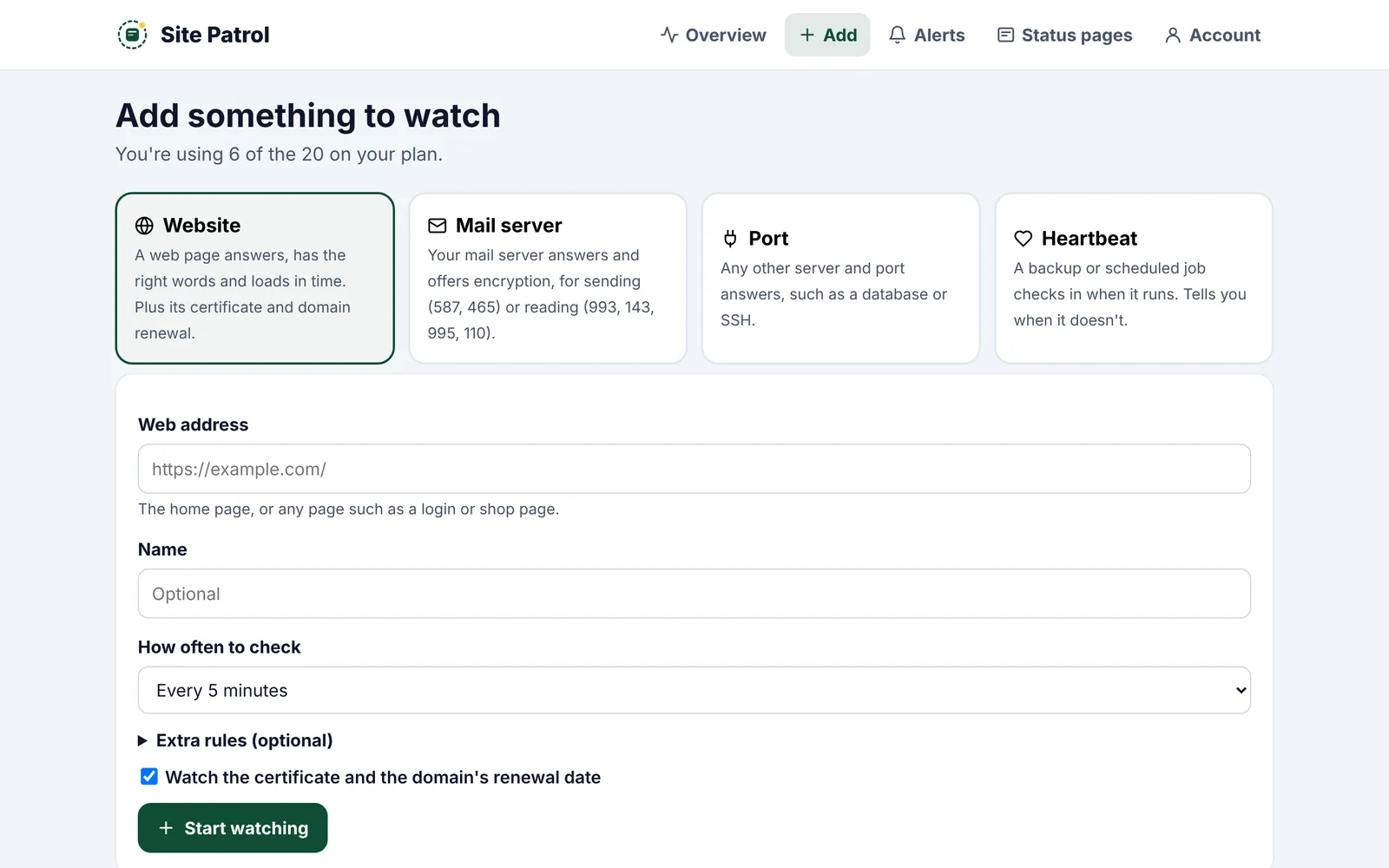
On the Add page choose Website, type its address, such as example.com, and tap Start watching. We check it straight away.
Turn on alerts
On the Alerts page tap Turn on alerts on this device. Do it on your phone too. See alerts on your phone and computer.
Get on with your day
Your website shows on the Overview page, green when it's working. We'll only bother you when something's wrong, and again when it's fixed.
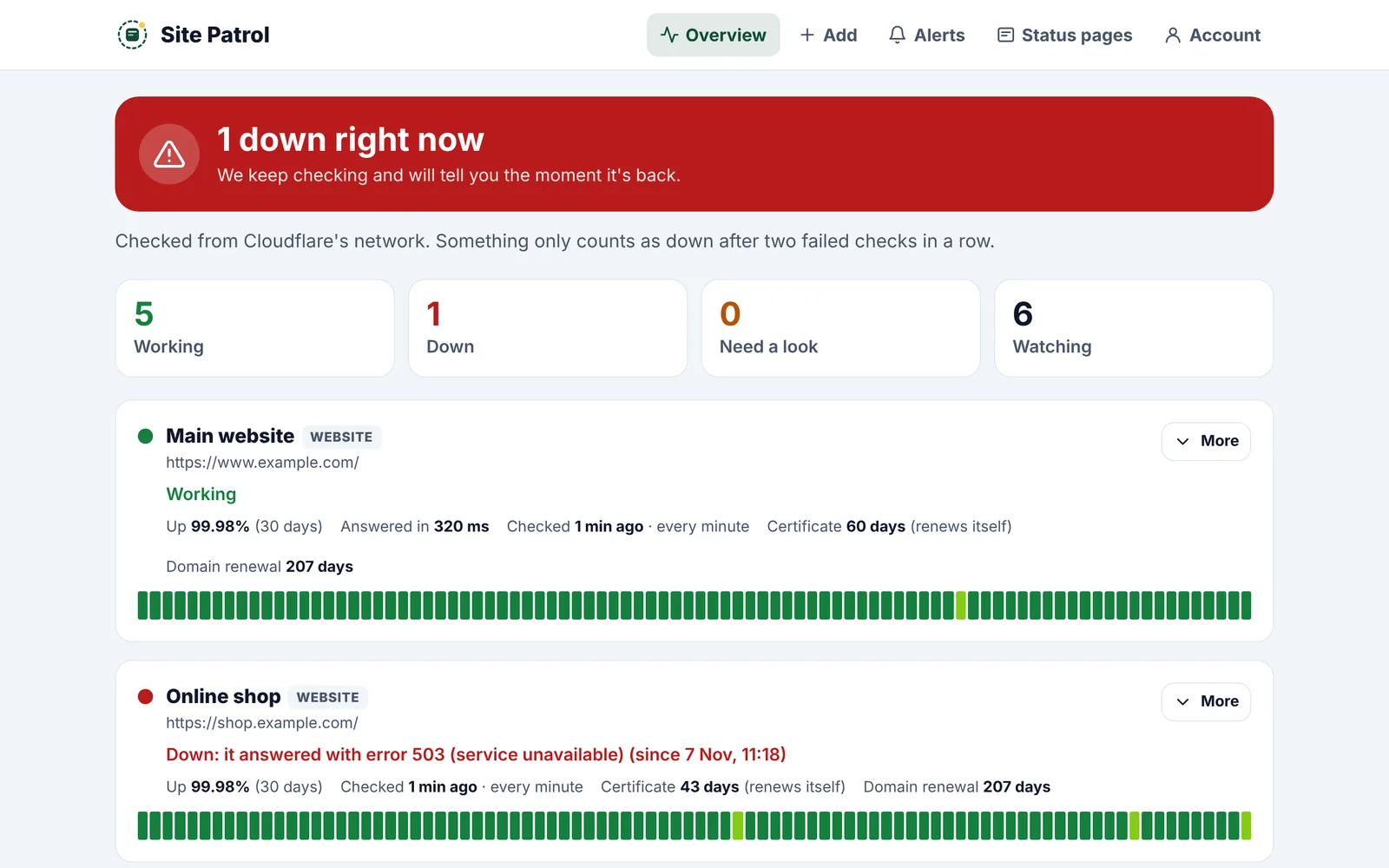
Something only counts as down after two failed checks in a row, so a single blip won't set off an alert.