Help
Heartbeats for backups and jobs
Your job visits its own address each time it runs. If the visits stop, we tell you. On Pro.
Add a heartbeat
On the Add page choose Heartbeat. Give it a name, such as Nightly backup, and choose how often it runs.
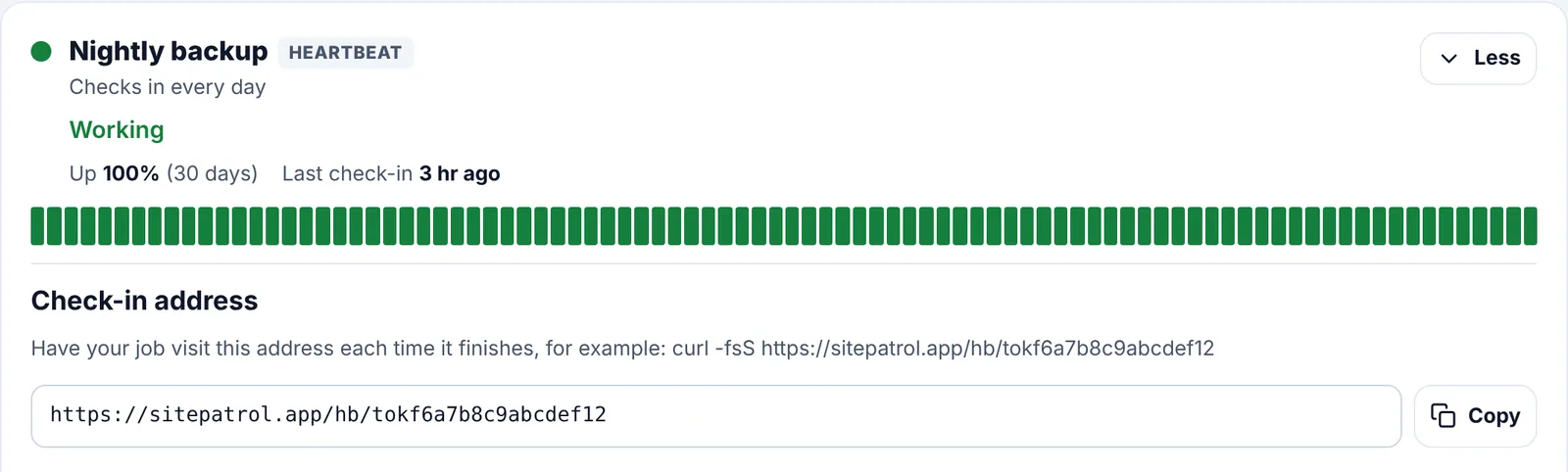
Copy its check-in address
Open the heartbeat on the Overview page and tap Copy next to its check-in address. Keep it private, like a password.
Visit it when your job finishes
Add one line to the end of your job, as in the examples below. Only visit it when the job worked.
Linux and Mac (cron)
0 2 * * * /usr/local/bin/backup.sh && curl -fsS -m 10 --retry 3 https://sitepatrol.app/hb/YOUR-CODEThe && means we only hear from it when the backup succeeds.
Windows (Task Scheduler or PowerShell)
Invoke-WebRequest -UseBasicParsing https://sitepatrol.app/hb/YOUR-CODEIn your own code
await fetch("https://sitepatrol.app/hb/YOUR-CODE");A heartbeat is late after its usual gap plus a tenth, and always at least 5 minutes. A daily job is late after about 26 hours.
More help